
WhatsApp or Telegram: which is better for visa appointment alerts?
Compare WhatsApp and Telegram alerts: all-country subscriptions in Telegram, slightly faster delivery, and the convenience of your everyday messaging app.
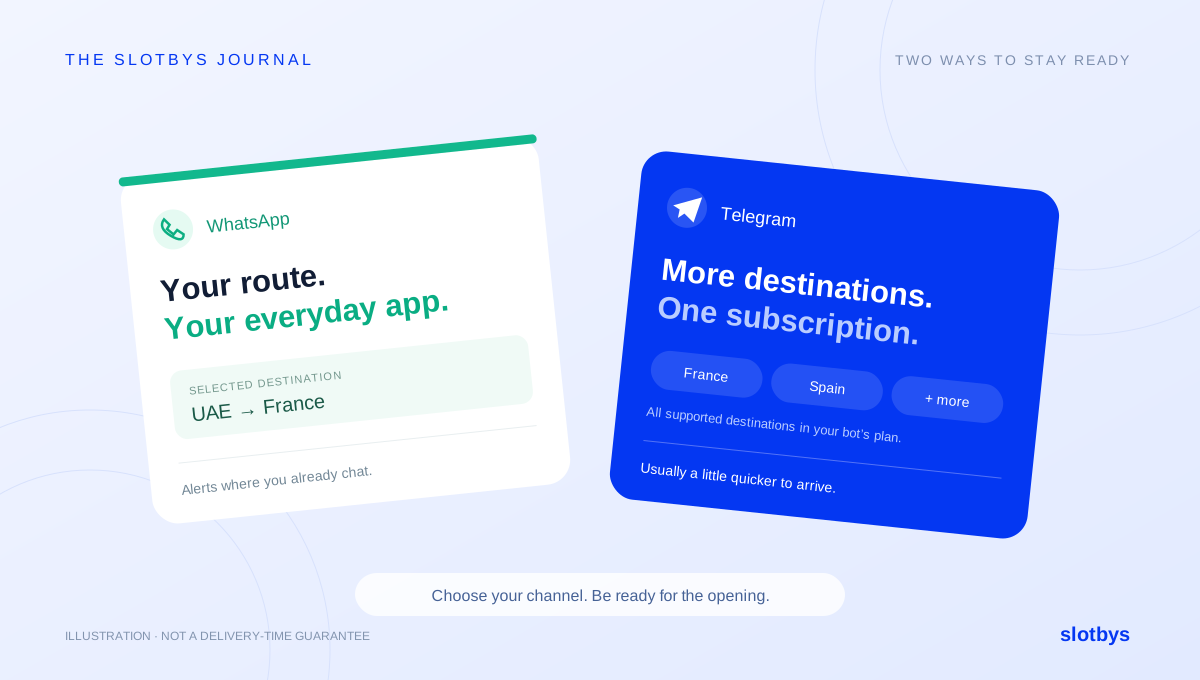
WhatsApp and Telegram both let you receive Slotbys visa appointment alerts without refreshing booking websites all day. The best choice depends on how many destinations you want to monitor and which app you are most likely to notice immediately.
For the broadest coverage in one subscription and slightly faster notifications, choose Telegram. If you prefer keeping alerts in the app you already use every day, WhatsApp is a convenient option for a selected route.
Telegram: all destinations in one subscription
In the Slotbys Telegram bot, you can choose the all-countries subscription option instead of subscribing to just one destination. This is useful if you want to keep an eye on several supported routes at the same time.
Here, “all countries” means the supported destination countries included in that Telegram bot’s plan. Start with the bot for the country you are applying from: the UAE, UK, Ireland or Turkey. It does not mean every visa centre worldwide or a single subscription covering all four application countries. Check the destinations and plan details shown in the bot before paying.
For example, if you are applying from the UAE and want updates for several supported destinations, the all-countries option lets you follow those openings through one subscription. You can compare what becomes available without setting up a separate subscription for every destination.
Receiving an alert for a country does not mean that it is the right country for your application. Choose the route that matches your actual travel plans and the official application requirements.
Why Telegram notifications usually arrive a little sooner
In the Slotbys team’s experience, Telegram alerts usually arrive slightly faster than WhatsApp alerts. This reflects differences in how the platforms process and deliver notifications, including the WhatsApp Business messaging flow.
WhatsApp business notifications use a different delivery system from Telegram bot messages. Meta’s WhatsApp Business Platform overview explains its template-based messaging features. The comparison in arrival times is our observation of Slotbys alerts, not a published benchmark or a claim that Telegram is always faster.
We do not promise a fixed difference in seconds. Platform conditions, your connection and your phone’s notification settings can affect when an alert appears. If speed is your main priority, Telegram is our recommendation. A prompt alert still does not reserve an appointment.
WhatsApp: alerts where you already check your messages
WhatsApp can be the more convenient choice if it is the app you check most often. On the Slotbys website, choose your application country, destination and supported centre, then set up WhatsApp notifications for that route.
The current website setup is for a selected destination and centre, rather than Telegram’s all-countries subscription option. Supported cities and the final price are shown before payment. WhatsApp alerts are currently available for supported routes from the UAE, UK and Ireland; use Telegram for Turkey.
The small difference in delivery speed is only one part of the decision. A message in an app you actively use may be easier to act on than a slightly earlier message in an app you rarely open.
Which should you choose?
Choose Telegram if you want the all-countries subscription option, want to follow several supported destinations, or prioritise slightly faster delivery. Open the relevant bot and compare the available plans before subscribing.
Choose WhatsApp if you have a specific destination in mind and prefer receiving alerts alongside your everyday conversations. Select the route and centre you need on the website.
You do not need both apps to use Slotbys. Whichever you choose, keep notifications enabled for the relevant chat and check that your phone is not silencing them with Focus, Do Not Disturb or battery-saving settings.
Be ready when the notification arrives
Keep your official booking account, application references and required information ready. For France, for example, prepare your FRA number before waiting for slots. Our France visa guide from the UAE explains the steps.
When an alert arrives, check the application city, visa category and appointment date. Open the official provider’s website and complete the booking yourself. Availability can change while other applicants are booking; an alert is not a reservation or a visa approval.
Set up your alerts
UAE routes and WhatsApp alerts →
UK routes and WhatsApp alerts →
Ireland routes and WhatsApp alerts →
Back to the journal